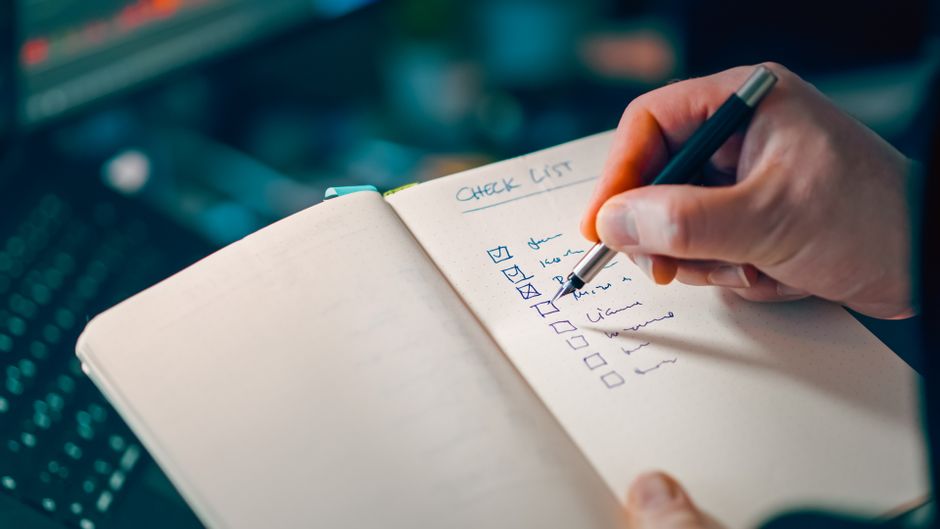
Daily Check-in Questions for Remote Teams: Focused Updates in 5 Minutes
TL;DR
- •Daily check-ins ensure clarity and alignment in remote teams.
- •Focused questions help identify blockers and track progress.
- •Structured updates reduce unnecessary meetings and improve efficiency.
What Are Daily Check-in Questions?
Definition: Daily check-in questions — concise prompts designed to help remote teams share updates, identify blockers, and align on priorities.
Daily check-ins are short, focused updates that help remote teams stay aligned without consuming too much time. Unlike traditional standups, they can be asynchronous, allowing team members to respond at their convenience.
Why Are Daily Check-ins Important?
- Clarity: Helps teams understand what each member is working on.
- Accountability: Encourages team members to stay focused on their tasks.
- Efficiency: Identifies blockers early, reducing delays.
How to Structure Daily Check-ins
- Set a consistent time: Choose a time that works for everyone.
- Limit responses: Keep answers concise, ideally under 5 minutes.
- Use tools: Platforms like Slack or AIAdvisoryBoard.me streamline the process.
- Rotate questions: Focus on different aspects (progress, blockers, alignment) each day.
Tool tip (AIAdvisoryBoard.me): Use structured templates to streamline daily check-ins. Focus on key areas like progress, blockers, and next steps, ensuring clarity for both team members and managers. For a structured flow, visit: https://aiadvisoryboard.me/?lang=en
Best Daily Check-in Questions
Progress Tracking
- What did you accomplish yesterday?
- What are your priorities for today?
- Are you on track to meet your deadlines?
Blockers and Risks
- Are you facing any blockers?
- Do you need help from the team or manager?
- Are there any potential risks?
Alignment and Decisions
- Are you aligned with the team's priorities?
- Are there any decisions needed to move forward?
- Do you have all the resources you need?
Examples of Good vs Bad Responses
Good: "Yesterday, I completed the user research phase. Today, I'll start drafting the report. No blockers." Bad: "I'm still working on the research. Not sure when I'll finish."
Good: "I'm blocked on accessing the dataset. I need John's help to resolve this by EOD." Bad: "Something's not working. I'll figure it out."
Manager Scan (2-minute digest example)
- Sarah: Completed research, drafting report. On track.
- John: Blocked on dataset access. Needs help.
- Alex: Finalized design mockups. Next: client review.
- Emily: Debugging API issue. Expected completion: tomorrow.
Micro-case (what changes after 7–14 days)
A remote marketing team struggled with misaligned priorities and delayed tasks. After implementing daily check-ins, clarity improved significantly. The manager could quickly identify blockers and provide support. Team members felt more accountable, and deadlines were met consistently. The structured updates reduced unnecessary meetings, allowing more time for focused work.
Tool tip (AIAdvisoryBoard.me): Regular check-ins surface risks early and keep teams aligned. Use structured updates to minimize effort while maximizing clarity. Start with focused questions and streamline the process with: https://aiadvisoryboard.me/?lang=en
FAQ
1. How long should a daily check-in take?
Daily check-ins should take around 5 minutes per team member, focusing only on essential updates.
2. Can daily check-ins be asynchronous?
Yes, asynchronous check-ins allow team members to respond at their convenience, reducing time zone conflicts.
3. What's the difference between daily check-ins and standups?
Daily check-ins are more flexible and can be asynchronous, while standups are often synchronous meetings.
4. How do I keep responses concise?
Use structured prompts and encourage team members to stick to the facts—progress, blockers, next steps.
5. What tools can I use for daily check-ins?
Platforms like Slack, Trello, or AIAdvisoryBoard.me streamline the process with templates and automation.
Conclusion
Daily check-ins are a simple yet powerful tool for remote teams to stay aligned, focused, and efficient. Start with structured questions, limit response time, and use tools to streamline the process. If you want this to run with less effort, using a structured Fact → Plan → Blockers flow and a manager digest, explore: https://aiadvisoryboard.me/?lang=en
Read with AI
Open this article in your assistant — it will summarize it and help apply it to your company.
Show the prompt
Read the article https://aiadvisoryboard.me/blog/daily-check-in-questions-remote-teams-focused-updates.md and summarize the key points. Then ask me about my company (industry, team size, what takes the most time) and explain which ideas from the article apply to us and where to start.
The pillar guide for "Async Standups" linking every article in this cluster.

Implements AI agents in companies and teaches founders and their teams to work with them — through courses and corporate programs.
This article was prepared with AI assistance, based on Yaroslav Maxymovych's methodology and materials. Spotted an inaccuracy — let us know via the form below.
A template is good. A system where the report writes itself is better
A 10-minute daily ritual for every employee: plan + fact + blockers. Implemented in 1 day. Teams that write down their plans hit their goals 42% more often.
New case studies on AI adoption — in your inbox
Once a week: practical breakdowns of what companies automate with AI and what actually comes out of it.
No spam. Unsubscribe anytime.
Related Articles

Quarterly Planning Without Chaos: A 2-Week Prep Playbook
A founder-tested two-week prep playbook for quarterly planning that turns status updates into planning input, reduces chaos, and builds team alignment before the session even starts.
Read more
OKRs vs KPIs in Daily Updates: When Each One Helps
Learn when to use OKRs or KPIs in your daily updates to improve visibility, alignment, and execution — without overcomplicating your team’s rhythm.
Read more
Combatting Meeting Creep on Remote Teams: Strategies for Focused Collaboration
Discover effective strategies to tackle meeting creep in remote teams, ensuring focused collaboration and productivity.
Read more