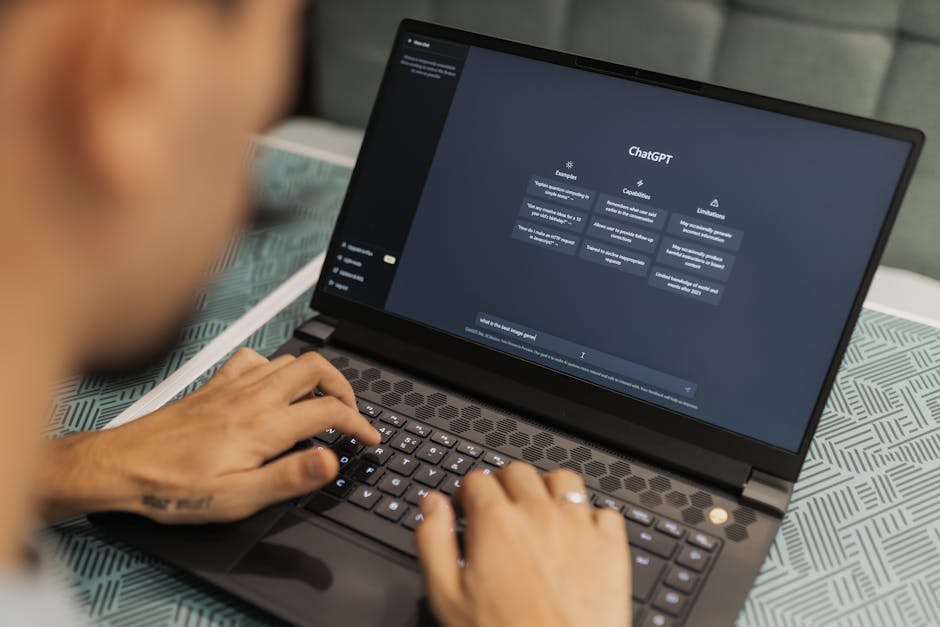
How to Prevent Company Data Leaks in ChatGPT: Rules for Your Team
TL;DR
- •Never upload raw files containing PII, contracts, or client lists to public AI chats.
- •Establish an internal AI policy: define what can be shared with the model and what must be anonymized or excluded.
- •Use corporate accounts with chat history disabled and a no-training-on-data policy.
Every time an employee pastes an internal report, client list, or financial data into ChatGPT, your company risks losing control of confidential information. AI models are trained on the text they receive, meaning your data could become part of a training dataset or appear in responses to other users. Protection starts not with blocking access, but with clear rules that the entire team understands.
How to Determine What Can Be Shared with AI and What Cannot
The first step is to categorize your company’s data into three types: public, internal, and confidential. Public data (blog posts, press releases) can be safely used in ChatGPT. Internal data (processes, email templates, internal instructions) requires anonymization: replace real project names with code names, remove surnames and contact details. Confidential data (financial reports, client lists with credentials, strategic plans) must never be sent to external AI services without explicit legal approval.
Definition: Anonymization is the process of removing or replacing personal or commercially confidential data so that the original information cannot be restored without additional sources.
Definition: AI Usage Policy is an internal document that defines which types of data can be shared with external models, what prompt restrictions apply, and who is responsible for enforcing the rules.
Corporate Tools That Reduce Risk
If your team already uses ChatGPT for work, consider switching to a corporate plan (Team or Enterprise), where you can disable chat history and opt out of model training on your company’s data. In account settings, find the "Data Controls" section and disable the "Improve the model for everyone" option. This doesn’t eliminate the need for anonymization, but it prevents your prompts from being used automatically to improve models.
For additional control, you can set up a proxy server or use integrations like Azure OpenAI Service, where data remains in your environment and never leaves the scope of your Microsoft contract. These solutions are more expensive but provide legal guarantees essential for highly regulated industries (finance, healthcare, defense).
Team Checklist: What to Verify Before Using ChatGPT
- Does the text contain personal data (full name, email, phone, passport number)? → Yes → Anonymize or do not send.
- Does the text contain commercial secrets (prices, margins, supplier lists)? → Yes → Replace with placeholder values or exclude.
- Are you using a personal ChatGPT account? → Yes → Switch to a corporate plan with training disabled on your data.
- Do you have an approved AI policy in your company? → No → Develop one together with HR and legal using the template from our "OUR SERVICES" section.
- Do employees understand the difference between public, internal, and confidential data? → No → Conduct a 15-minute briefing.
How This Works for Us
Our corporate program trains teams to work with AI agents without risking data leaks: participants describe business logic in words, and AI writes the code, avoiding the need to share raw data externally. Each participant gets access to recorded course sessions and technical task templates where anonymization rules are already built in. https://course.aiadvisoryboard.me/corporate?utm_source=blog&utm_medium=article_body&utm_campaign=corporate
FAQ
Can we completely ban ChatGPT use in the team? Bans rarely work: employees find workarounds if they don’t understand the reasoning. It’s more effective to provide clear rules and tools for safe use than to simply say "don’t use it."
Is an NDA needed for everyone using AI? NDA is a last resort, not a protection tool. It’s better to spend time explaining what confidential data is and providing easy-to-use anonymization templates than relying on legal documents that are hard to monitor.
Is it safe to use ChatGPT for generating code or technical documentation? Yes, if the code doesn’t contain proprietary algorithms or key logic, and technical documentation doesn’t include internal system names or database paths. If in doubt, run a code review before using the output.
How can I check if the model is being trained on our data? Corporate plans from OpenAI and Anthropic offer an explicit option to disable training on customer data. Check its status in your account settings or contact your account manager. If you’re using a free tier, assume training is happening and follow strict anonymization rules.
Conclusion
Protecting data in the AI era isn’t about technological restrictions—it’s about transparency and shared understanding of risks. Start by drafting a simple AI policy for your team: what can be shared with the model, and what needs anonymization. Tomorrow, try a 10-minute briefing with examples from your department—this alone will reduce the chance of accidental leaks.
Frequently Asked Questions
Read with AI
Open this article in your assistant — it will summarize it and help apply it to your company.
Show the prompt
Read the article https://aiadvisoryboard.me/blog/jak-ne-zlyty-dani-kompaniji-v-chatgpt-pravyla.md and summarize the key points. Then ask me about my company (industry, team size, what takes the most time) and explain which ideas from the article apply to us and where to start.
The pillar guide for "Ризики і заперечення (засновник)" linking every article in this cluster.

Implements AI agents in companies and teaches founders and their teams to work with them — through courses and corporate programs.
This article was prepared with AI assistance, based on Yaroslav Maxymovych's methodology and materials. Spotted an inaccuracy — let us know via the form below.
Your company's first 3 AI automations — in 2 weeks
A corporate AI-transition program: 4 live sessions with your team plus a video course for every employee. Up to 20 people for one fixed price. If it doesn't work — money back.
New case studies on AI adoption — in your inbox
Once a week: practical breakdowns of what companies automate with AI and what actually comes out of it.
No spam. Unsubscribe anytime.
Related Articles

How to Verify AI Automation Before Launching Into Production: Acceptance Checklist
Before launching AI automation into production, you need to verify that it works on your data, in your tools, and executes the scenario agreed upon with your company. Here’s the acceptance checklist…
Read more
Signs Your AI Adoption Is Going Off Track: Early Diagnosis for Founders
Spot early signs your AI adoption is off track: 5 concrete indicators a founder can check without technical skills.
Read more
AI Hallucinations in Client Workflows: How to Build a Check That Won’t Lose You Customers
AI hallucinations in client communication lead to lost trust. How to build a check that catches fabricated information before sending — and keeps your clients — practical checklist for company…
Read more