
Rolling Priorities: How to Handle Unfinished Work Without Chaos
TL;DR
- •Review yesterday’s plan, mark what’s done, and move the rest to today’s list.
- •Use a simple Plan → Fact → Gap check to see where reality diverged.
- •Keep the rolling list short (3‑5 items) to avoid overload and maintain focus.
The single biggest mistake I see SMB owners make in rolling priorities is treating unfinished work as a new emergency instead of a signal to adjust the plan.
How to build a rolling priority list in 5 minutes
Start by opening yesterday’s plan. Check each item: if it’s done, mark it; if it’s partially done, note the remaining work; if it’s untouched, decide whether it still matters today. Copy the unfinished items to a fresh list, then add any new urgent items that appeared overnight. Re‑order the combined list so the top three reflect what you can realistically finish given today’s meetings and energy level. Finally, write a one‑sentence Fact note for each completed item and a Gap note for each missed target — this creates the Plan → Fact → Gap insight you’ll review at day’s end.
Tool tip (AiAdvisoryBoard.me): A rolling priority list works best when you pair it with a daily Plan → Fact → Gap snapshot. By writing a brief Fact note (what you actually finished) and a Gap note (what fell short) next to each item, you turn a simple to‑do into a visibility tool that surfaces patterns before they become crises. See how this works in the 7‑day diagnostic.
What to include in your morning roll‑over review
Ask three quick questions for each unfinished item: (1) Is this still a priority given today’s goals? (2) Do I have the time or resources to finish it now? (3) If not, should it be deferred, delegated, or dropped? Answering these in under a minute per item keeps the list lean and ensures you’re not just moving work forward blindly. Capture the answers as a short Fact‑Gap line: e.g., “Fact: drafted two sections; Gap: needed extra data, will get it after lunch.” This practice turns the roll‑over into a learning loop, not just a task shuffle.
How to keep the rolling list from becoming a dumping ground
Limit the list to five items max. If you find yourself constantly pushing the same task forward, treat that as a Gap signal: either the task is poorly scoped, blocked by a dependency, or not truly a priority. Use the Gap note to trigger a quick blocker check — people, process, tooling, or dependencies — and decide whether to break the task into smaller pieces, seek help, or drop it. This prevents the list from growing into a vague wish list and keeps focus on what can actually move.
Tool tip (AiAdvisoryBoard.me): When you notice a recurring Gap on the same item, add a one‑line blocker tag (e.g., “blocked: waiting on legal review”) directly in the priority list. This makes the obstacle visible at a glance and turns the rolling priority process into an early‑warning system. The same tagging approach is used in the owner dashboard you can build without a BI team.
Manager scan (2‑minute digest example)
- Sales lead: Planned 5 outreach calls, Fact: 3 made, Gap: 2 postponed due to missing pricing sheet (blocked: tooling).
- Ops manager: Planned inventory reconcile, Fact: completed, Gap: none.
- Marketing coordinator: Planned blog draft, Fact: outline only, Gap: research delayed (blocked: dependency on product team).
- Support lead: Planned ticket triage, Fact: 80% cleared, Gap: 20% left due to shift overlap (blocked: people).
- Finance analyst: Planned expense report, Fact: started, Gap: waiting on receipts (blocked: process).
- HR generalist: Planned policy update, Fact: draft done, Gap: review pending (blocked: dependency).
Micro-case (what changes after 7–14 days)
A founder of a 40‑person professional services firm began using a rolling priority list each morning. Within a week, the daily Plan → Fact → Gap notes revealed that three recurring tasks were consistently blocked by the same legal review step. Seeing this pattern, the owner scheduled a short weekly sync with the legal counsel, which cleared the backlog. By the second week, the gap notes showed a 60% reduction in carryover items, and the founder could make same‑day decisions on resource shifts without pulling people into ad‑hoc meetings. The team reported feeling less reactive, and the owner spent less time chasing status updates because the Plan → Fact → Gap snapshot already showed where attention was needed.
FAQ
How long should the rolling priority list be each morning? Keep it to three to five items that you can realistically finish given your calendar. Anything beyond that belongs in a backlog or a separate “later” list.
What if a carryover task keeps showing up as a Gap? Treat it as a blocker signal. Write a brief note about what’s stopping it (e.g., waiting on data, needing approval) and decide whether to break it down, delegate, or drop it.
Can I use this method with asynchronous teams? Yes. Each member posts their own Plan → Fact → Gap note in a shared channel each morning; the owner scans the aggregated gaps to spot cross‑team blockers without scheduling extra meetings.
How does this differ from a traditional daily standup? A standup often focuses on what each person will do today; rolling priorities focus on what actually moves forward, making the Gap visible and actionable rather than just a status report.
Should I include new urgent items that appear overnight? Add them only if they truly outrank an existing carryover item; otherwise, place them in a backlog for tomorrow’s review. This prevents constant reprioritization chaos.
Conclusion
Rolling priorities turn yesterday’s unfinished work into a clear signal for today’s focus, not a source of guilt or chaos. By pairing the list with a quick Plan → Fact → Gap check, owners see exactly where reality diverges from intention and can adjust plans, resources, or expectations in real time.
Start tomorrow morning: spend five minutes reviewing yesterday’s plan, move any unfinished items to a new list, and add a one‑sentence Fact and Gap note for each.
If you want a system that surfaces the Plan → Fact → Gap automatically — every day, across the company — see how the 7‑day diagnostic works.
Frequently Asked Questions
Read with AI
Open this article in your assistant — it will summarize it and help apply it to your company.
Show the prompt
Read the article https://aiadvisoryboard.me/blog/rolling-priorities-unfinished-plan.md and summarize the key points. Then ask me about my company (industry, team size, what takes the most time) and explain which ideas from the article apply to us and where to start.
The pillar guide for "Daily Planning" linking every article in this cluster.

Implements AI agents in companies and teaches founders and their teams to work with them — through courses and corporate programs.
This article was prepared with AI assistance, based on Yaroslav Maxymovych's methodology and materials. Spotted an inaccuracy — let us know via the form below.
A template is good. A system where the report writes itself is better
A 10-minute daily ritual for every employee: plan + fact + blockers. Implemented in 1 day. Teams that write down their plans hit their goals 42% more often.
New case studies on AI adoption — in your inbox
Once a week: practical breakdowns of what companies automate with AI and what actually comes out of it.
No spam. Unsubscribe anytime.
Related Articles
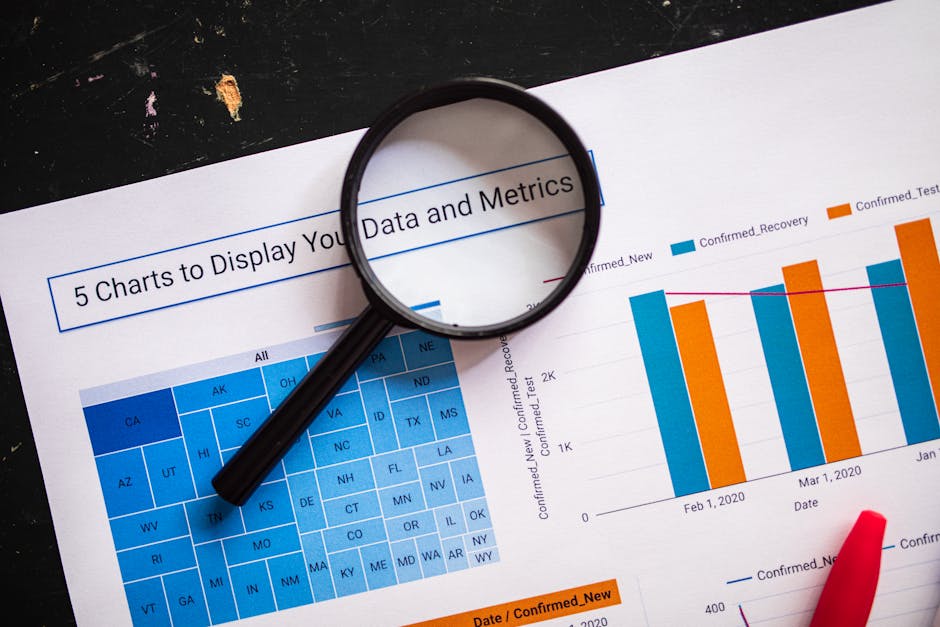
The Owner Dashboard You Can Build Without a BI Team
Learn how to build a simple owner dashboard using Plan → Fact → Gap to see real team work — no BI team or tools needed. This visibility layer is the foundation before any AI automation.
Read more
Outcome vs Output Planning: Making the Shift in 30 Days
A practical 30‑day guide for founders to move from tracking tasks to measuring real impact, with outcome‑focused planning, manager scan, and a micro‑case for 30‑500 employee companies.
Read more
Daily Planning When Half Your Day Is Meetings — Structuring Without Overcommitment
Learn how to structure your daily planning when half your day is meetings to avoid overcommitment and protect focus time.
Read more