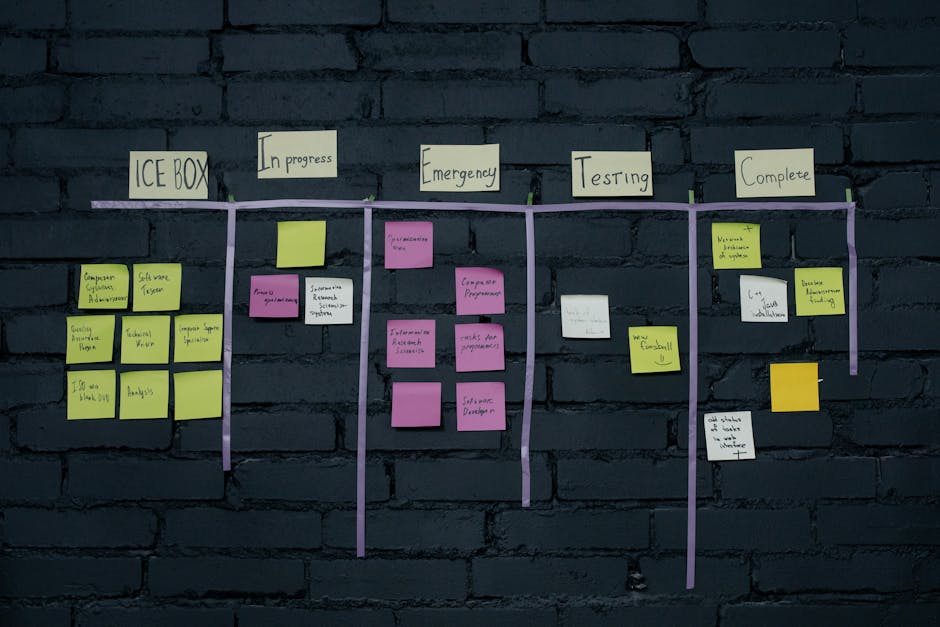
Visual Progress Board for Client Projects: What the Client Actually Sees
TL;DR
- •Show only what changed since last week: completed milestones, blocked items, and next steps.
- •Use a simple three-column board: To Do, In Progress, Done — with client-relevant labels.
- •Update it every Friday; let the client check it anytime without asking.
- •Definition:** Visual progress board — a lightweight, shared view of project work that shows completed tasks, current work, and blockers in client-friendly terms, updated weekly.
- •Definition:** Milestone — a concrete, deliverable outcome the client cares about (e.g., 'login flow tested', not 'backend refactor').
- •Definition:** Blocker — anything stopping progress that the client can help unblock (e.g., 'awaiting API credentials from your team').
When a client asks for a status update and you send another slide deck, they’re not asking for more information — they’re asking for less noise and more clarity.
What should a client-facing progress board include?
It should include only three things: what’s done, what’s in progress, and what’s blocked — all framed in client outcomes, not internal tasks. Replace 'database schema update' with 'customer profile page loads in under 2 seconds'. Replace 'team sync' with 'ready for your review on Thursday'.
How to set up a visual progress board in under an hour
- List all client-facing milestones for the next 4–6 weeks.
- Group them into three columns: To Do (not started), In Progress (active work), Done (verified and delivered).
- Use plain language the client uses — if they say 'checkout flow', use that, not 'payment gateway integration'.
- Share it as a view-only link (Google Sheet, Notion, or simple web page).
- Update it every Friday afternoon — takes 10 minutes.
Tool tip (AiAdvisoryBoard.me): A visual progress board isn’t about tracking activity — it’s about showing Plan vs Fact vs Gap in client terms. When the client sees 'Invoice generator: Done' instead of 'Sprint 3 tasks completed', they’re seeing the gap between what was promised and what’s real — without you having to explain it. See how the 7-day diagnostic surfaces these gaps automatically.
Good vs bad examples
Good:
- Done: Client can export invoices as PDF
- In Progress: Adding tax calculation for EU countries (blocked: waiting on VAT rules from client)
- To Do: Enable invoice emailing from app
Bad:
- Done: Completed API endpoint for invoicing
- In Progress: Working on tax module
- To Do: Frontend integration
The first speaks to what the client gains; the second speaks to what the team does.
Manager scan (2-minute digest example)
- Done: 4 client milestones delivered this week (invoice export, PDF branding, email preview, draft email)
- In Progress: Tax calculation (EU) — blocked on client’s VAT confirmation
- Blocked: Invoice emailing — waiting on SMTP credentials from client’s IT
- Next week’s focus: Unblock tax and emailing; start SMS notifications
Micro-case (what changes after 7–14 days)
A 40-person agency building a client portal stopped sending weekly status emails after setting up a visual board. The client started checking it every Monday morning. When a blocker appeared (missing tax rules), they replied within two hours instead of two days. The team spent 80% less time writing updates and 50% less time in sync meetings. The founder noticed fewer 'just checking in' messages and more concrete replies like 'VAT rules attached — proceed'.
Note on this case: This example is illustrative — based on typical patterns we observe with companies of 30–500 employees, not a single named client. Specific numbers are rounded approximations of common ranges, not guarantees.
FAQ
What if the client doesn’t check the board? Send one short message: 'Board updated — invoice export is live, tax calculation blocked on your VAT rules.' That’s it. No agenda, no meeting request.
How detailed should the milestones be? One sentence, client outcome only. If it needs more than that, it’s not a milestone — it’s a task.
Can we use this for internal projects too? Yes, but swap client language for stakeholder language (e.g., 'legal team' instead of 'client'). The principle stays: show outcomes, not activity.
What tool should we use? Anything that lets you share a view-only list. Google Sheets works. Notion works. A simple HTML page works. The tool doesn’t matter — the clarity does.
How often should we update it? Once a week, same day and time. Consistency builds trust more than frequency.
Conclusion
A visual progress board isn’t about giving the client more data — it’s about giving them less noise and more truth. When they can see what’s done, what’s stuck, and what’s next — without asking — they stop chasing updates and start trusting the process.
What to do tomorrow
Pick your next client milestone, write it in one sentence from the client’s point of view, and put it in a To Do column. Share the link.
If you want a system that surfaces the Plan → Fact → Gap automatically — every day, across the company — see how the 7-day diagnostic works.
Frequently Asked Questions
Read with AI
Open this article in your assistant — it will summarize it and help apply it to your company.
Show the prompt
Read the article https://aiadvisoryboard.me/blog/visual-progress-board-for-client-projects-the-client-can-see.md and summarize the key points. Then ask me about my company (industry, team size, what takes the most time) and explain which ideas from the article apply to us and where to start.
The pillar guide for "Progress Without Time Tracking" linking every article in this cluster.

Implements AI agents in companies and teaches founders and their teams to work with them — through courses and corporate programs.
This article was prepared with AI assistance, based on Yaroslav Maxymovych's methodology and materials. Spotted an inaccuracy — let us know via the form below.
Your company's first 3 AI automations — in 2 weeks
A corporate AI-transition program: 4 live sessions with your team plus a video course for every employee. Up to 20 people for one fixed price. If it doesn't work — money back.
New case studies on AI adoption — in your inbox
Once a week: practical breakdowns of what companies automate with AI and what actually comes out of it.
No spam. Unsubscribe anytime.
Related Articles

Managing Up — Using Daily Updates to Align with Your Boss
Learn how founders and leaders use daily updates to manage up effectively — creating alignment, reducing surprises, and building trust with their boss through clear Plan/Fact/Gap reporting.
Read more
Stanford's 77% Rule: Why Most AI Work Is Invisible — And How to Make It Visible
Stanford's 77% rule reveals most AI work is invisible to leaders. Learn how to surface hidden AI activity, track real adoption, and close the Plan-Fact-Gap using lightweight signals from AI champions.
Read more
Hybrid Team Communication Charter: Async vs Sync Rules That Actually Work
Create a hybrid team communication charter that defines clear async vs sync rules. Reduce meeting overload, improve clarity, and keep teams aligned without burnout.
Read more