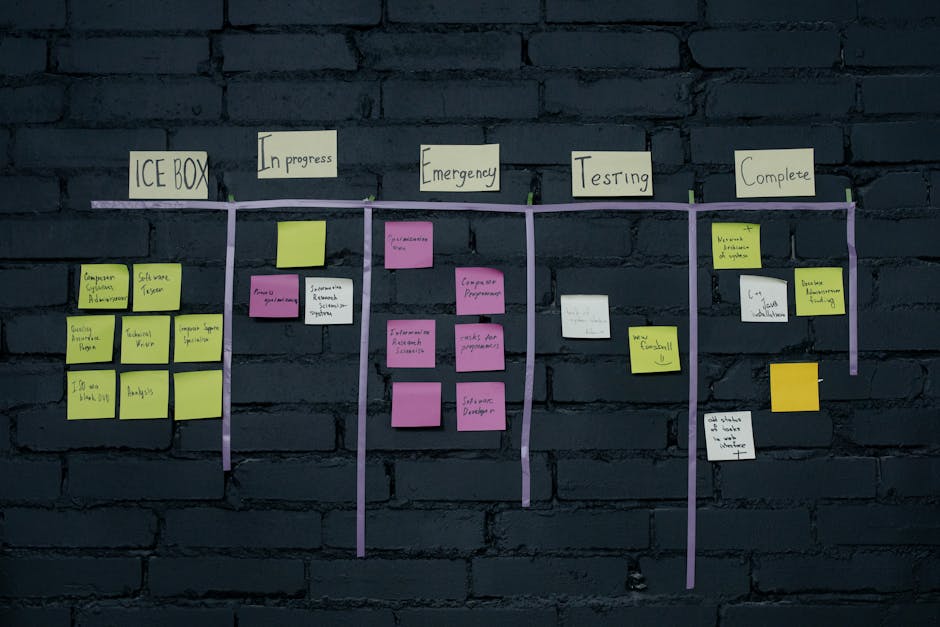
Visual Progress Board for Client Projects: What the Client Can See
TL;DR
- •A client-facing board shows status, blockers, and next steps — nothing else.
- •Update it weekly, not daily, so the client sees movement without noise.
- •Keep internal task comments separate from client-visible columns.
- •Definition:** Visual progress board — a shared board (Kanban, list, or dashboard) where client-visible project status lives in columns the client can check without asking for a status email.
- •Definition:** Client-visible column — a status category written in client language (for example, "Awaiting your feedback" instead of "In QA").
- •Definition:** Internal lane — a swimlane or tag the client never sees, used for team coordination behind the client-facing status.
The single biggest mistake I see SMB owners make in project visibility is treating the client board as an internal artifact dressed up with prettier colors.
What a Client Can Actually See on the Board
Clients do not need to see every subtask. They need three things: where the project stands, what is waiting on them, and what comes next.
A working board typically has five to seven columns:
- Backlog / Upcoming — work scheduled but not started.
- In Progress — active work with an owner and a due date.
- Client Review / Awaiting Feedback — work the client must look at before the team moves forward.
- Blocked — work stopped because of a dependency, missing input, or external delay.
- Done — shipped and accepted.
That is it. If a column does not map to a client decision or a visible milestone, it does not belong on the client view.
How to Set It Up Without Overcomplicating It
Pick one tool the team already uses — Notion, Trello, Asana, ClickUp, or even a shared spreadsheet — and build the client view there. Do not introduce new software just for the board.
Create two views of the same data: one for the team (with internal statuses, estimates, and technical notes) and one for the client (with the five columns above). The client link should be read-only. If the client can edit task descriptions, they will, and your task structure will break within two weeks.
Update the board on a fixed rhythm — every Friday afternoon or every Monday morning. Ad-hoc updates train the client to ping you for status instead of checking the board.
Tool tip (AiAdvisoryBoard.me): A visual board only works if it reflects Plan → Fact → Gap. If the board shows tasks as "In Progress" while the team already knows the deadline slipped, the client sees fiction. Use the board to surface the gap between what was planned and what is actually happening, before the client asks.
Good vs Bad Client-Visible Status
Good:
- "Wireframes — awaiting your feedback (due Tuesday)"
- "Migration — blocked by API access from your IT team"
- "Phase 1 — done, signed off"
Bad:
- "Ticket PROJ-442 — in QA"
- "Sprint 3 — 67% complete"
- "Blocked — waiting on dev"
The first set uses client language and names the next action. The second set forces the client to translate internal jargon into business meaning.
Micro-case (what changes after 7–14 days)
A professional services firm with about 40 employees was running client projects through weekly status emails and ad-hoc Slack messages. The owner found himself answering "where are we on the redesign?" three times a week. After switching to a read-only visual board with client-facing columns, the same questions dropped to almost zero within two weeks. Clients checked the board before meetings, and the team stopped duplicating status updates in email and chat.
Note on this case: This example is illustrative — based on typical patterns we observe with companies of 30–500 employees, not a single named client. Specific numbers are rounded approximations of common ranges, not guarantees.
FAQ
Who updates the board? The project lead or account manager updates it once a week. Team members flag status changes in the internal view; the lead translates them into client-visible columns.
What if the client wants daily updates? Offer the board link and explain that it refreshes weekly. Daily status is usually a sign the board is missing something the client actually cares about — add that column instead of adding meetings.
Can we use this for internal projects too? Yes, but keep the internal view separate. Client-facing boards should never show internal estimates, raw comments, or staffing notes.
What tool should we use? Whatever your team already uses. The board fails when people have to log into a new system just to check status.
Conclusion
A client-facing visual progress board replaces status meetings with a single source of truth the client can check on their own. Keep the columns client-language, update on a fixed rhythm, and never let the client edit the board directly.
If you want a system that surfaces the Plan → Fact → Gap automatically — every day, across the company — see how the 7-day diagnostic works. https://aiadvisoryboard.me/?lang=en
Frequently Asked Questions
Read with AI
Open this article in your assistant — it will summarize it and help apply it to your company.
Show the prompt
Read the article https://aiadvisoryboard.me/blog/visual-progress-board-client-projects-owner-view.md and summarize the key points. Then ask me about my company (industry, team size, what takes the most time) and explain which ideas from the article apply to us and where to start.
The pillar guide for "Progress Without Time Tracking" linking every article in this cluster.

Implements AI agents in companies and teaches founders and their teams to work with them — through courses and corporate programs.
This article was prepared with AI assistance, based on Yaroslav Maxymovych's methodology and materials. Spotted an inaccuracy — let us know via the form below.
Your company's first 3 AI automations — in 2 weeks
A corporate AI-transition program: 4 live sessions with your team plus a video course for every employee. Up to 20 people for one fixed price. If it doesn't work — money back.
AI adoption resources — one email
Leave your email to receive a welcome email with blog resources. There is no regular newsletter at present
No spam. Unsubscribe anytime.
Related Articles
Visual Progress Board for Client Projects: What the Client Actually Sees
A visual progress board for client projects shows only what matters: done, in progress, blocked — in client language. Update it weekly, share it view-only, and let the client see the truth without…
Read more
The Owner Trust Score: Earning Back Signal After Surprises
A founder's guide to rebuilding operational signal after surprises. Learn how to measure trust, spot early gaps, and restore visibility without micromanagement.
Read more
Owner Paranoia vs Prudence: Calibrating Your Visibility Intensity
How founders calibrate owner visibility intensity during AI implementation — checking enough to catch drift early, but not so much that they become the bottleneck.
Read more